XMTD Commands
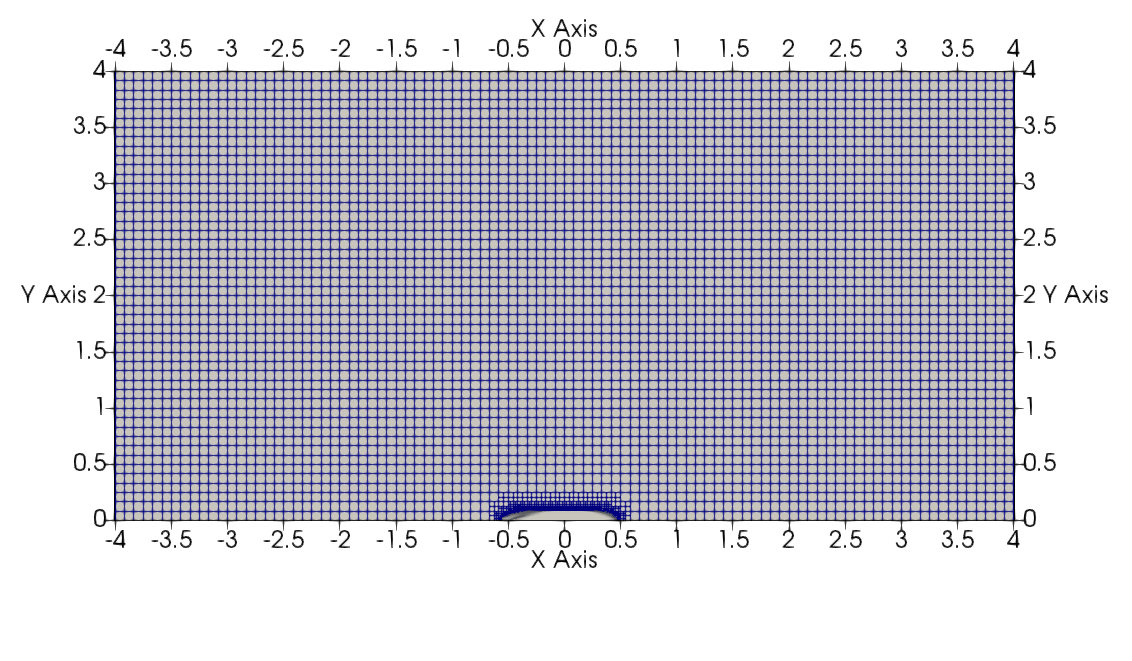
The xmtd block contains the commands controlling the free surface mesh, hull panel refinement and
mesh import.
FREE
Definition of the free surface; the size, the resolution of the base mesh, the levels and limiting values for the automatic grid refinement algorithm etc.
General form of command
free ( upstream = v    , downstream = v   , side = v        ,
       npxp = n        , npyp = n         , level = n       ,
       clevel = n      , plevel = n       , curv = v        ,
       dofactor = v    , dopower = v      , dopadding = v   ,
       dhullzshift = v , uhullzshift = v  , actoff = v      ,
       wladapt                                              )
Default values
Not stated in the source manual.
Keywords
| Keyword | Description |
|---|---|
upstream |
The extent of the free surface upstream. Given in non-dimensional form based on the reflen. |
downstream |
The extent of the free surface downstream. Given in non-dimensional form based on the reflen. |
side |
The extent of the free surface to the side or sides, depending on whether a symmetry plane is used or not. Given in non-dimensional form based on the reflen. |
npxp |
The number of panels of the base mesh in the x-direction. |
npyp |
The number of panels of the base mesh in the y-direction. |
level |
Specifying the maximum refinement level. The free surface panels closest to the waterline of a body get refined to this level. |
clevel |
Specifying the maximum refinement level for refinement based on the curvature criterion. If not specified, it takes the value of level. |
plevel |
Specifying the minimum refinement level for an additional set of COMMAND_FILE_fs_plot_NNNNN.vtu files for the free surface. plevel does not affect the solution; it is a pure post-processing step. If plevel is not set, no COMMAND_FILE_fs_plot_NNNNN.vtu files will be created. |
curv |
Specifying the limiting value for the curvature criterion. A smaller value results in more refinement. |
dofactor |
Specifying the strength factor (per LPP) for a die-off of the curvature criterion limiting value. |
dopower |
Specifying the power of the function for the die-off of the curvature criterion limiting value. |
dopadding |
Specifying a padding in terms of half-beams with an unchanged region around the hull for the die-off of the curvature criterion limiting value. |
dhullzshift |
Specifying a vertical downwards shift of downwards facing hull panels when determining the waterline for cutting a hole in the free surface. Given in non-dimensional form based on the reflen. Values around 0.002–0.004 can be helpful with overhanging sterns. |
uhullzshift |
Specifying a vertical upwards shift of upwards facing hull panels when determining the waterline for cutting a hole in the free surface. Given in non-dimensional form based on the reflen. Can be helpful with bulbs or deck panels in extreme cases. |
actoff |
Specifies an offset distance that shifts the transition band determining active panels on the body. Given in terms of the width of the band. E.g. a value of 0.0 results in fully active panels up to the level of the waterline. |
wladapt |
Enabling the free surface panels to snap to the waterline of a body. |
Notes
npypis used regardless of whether a symmetry plane is used or not.clevelshould typically not be set to a larger value thanlevel.
REFINE
Define a refinement region where the refinement parameters can be overridden. This is sometimes useful for a region in the proximity of the hull. Refinement regions are allowed to overlap and the maximum levels will be used.
The refinement region must be a convex set (the \( x_c y_c \)-coordinates must build up a convex curve). This should not cause any concern since multiple refinement regions are allowed and a non-convex set can be divided into 2 or more convex sets.
The points should be ordered in a clockwise direction looking at the free surface from above.
General form of command
refinement ( npoints = n     , x = [v,...,v] , y = [v,...,v] ,
             level = v       , clevel = v    , mlevel = v    ,
             curv = v                                        )
Default values
Not stated in the source manual.
Keywords
| Keyword | Description |
|---|---|
npoints |
Number of points defining the refinement zone polygon. |
x |
An array of \( x_c \)-coordinates defining the refinement region polygon. Given in non-dimensional form based on the reflen. |
y |
An array of \( y_c \)-coordinates defining the refinement region polygon. Given in non-dimensional form based on the reflen. |
level |
Specifying the maximum refinement level. The free surface panels closest to the waterline of a body get refined to this level. |
clevel |
Specifying the maximum refinement level for refinement based on the curvature criterion. |
mlevel |
Specifying the minimum refinement level for refinement. |
curv |
Specifying the limiting value for the curvature criterion. A smaller value results in more refinement. |
BODY
Definition of body panel groups imported from an offset file.
General form of command
Default values
Not stated in the source manual.
Keywords
| Keyword | Description |
|---|---|
name |
The name of the body group as defined in the offset file. |
main |
Applies default settings for a main body group. |
bulb |
Applies default settings for a bulb body group. |
aft |
Applies default settings for an aft body group. |
transom |
Applies default settings for a transom body group. Similar to an aft group but triggers some additional mechanisms that are exclusive for transom sterns. |
IMPORT
Definition of body panel groups imported from an OBJ file.
General form of command
import ( file = "my_obj_file" , nrev       , xtra = v   ,
         ytra = v             , ztra = v   , xrot = v   ,
         yrot = v             , zrot = v   , xsca = v   ,
         ysca = v             , zsca = v   , ymir       ,
         transom              , bottom     , nomir       )
Keywords not shown in the general form
trca and overhang are documented as keywords below but are not shown in the general form of the
command above.
Default values
Not stated in the source manual.
Keywords
| Keyword | Description |
|---|---|
file |
Name of the OBJ file. |
nrev |
Reverse normal direction of the imported panels. |
xtra |
Translate the imported panels in their x-direction. |
ytra |
Translate the imported panels in their y-direction. |
ztra |
Translate the imported panels in their z-direction. |
xsca |
Scale the imported panels in their x-direction. |
ysca |
Scale the imported panels in their y-direction. |
zsca |
Scale the imported panels in their z-direction. |
xrot |
Rotate the imported panels in their x-direction. |
yrot |
Rotate the imported panels in their y-direction. |
zrot |
Rotate the imported panels in their z-direction. |
ymir |
Mirror the imported panels in their xz-plane. |
nomir |
The imported panels are not mirrored when symmetric conditions are applied. To be used when a complete hull is imported and a nosym command has to be used. |
trca |
Must be used for transom groups of catamarans: if not present the two transoms will be treated as one. |
transom |
Applies default settings for a transom body group. Triggers some additional mechanisms that are exclusive for transom sterns. |
overhang |
Specifies the horizontal overhang length (in m) of a non-vertical transom. Only applies in combination with the transom command. |
bottom |
Enables certain mechanisms that are exclusive to panel groups representing a bottom. Typically used for shallow water cases where the imported mesh represents the seabed. |
Notes
- Only quadrilateral panels in the OBJ file are imported.
BRTO
Define a hull refinement based on local curvature (or more precisely, define a surface error tolerance for when panels should be split). Tolerances are normalized by LPP.
General form of command
Default values
Not stated in the source manual.
Keywords
| Keyword | Description |
|---|---|
lev1 |
Key to turn on the first level of refinement. |
tol1 |
Maximum error tolerance for the first level of refinement. Tolerance is normalized by LPP. |
lev2 |
Key to turn on the second level of refinement. |
tol2 |
Maximum error tolerance for the second level of refinement. Tolerance is normalized by LPP. |
lev3 |
Key to turn on the third level of refinement. |
tol3 |
Maximum error tolerance for the third level of refinement. Tolerance is normalized by LPP. |
BRWL
Define a hull refinement based on proximity to the undisturbed free surface (z=0). The hull panelization is generated before the first iteration and is kept constant afterwards. All lengths are normalized by LPP.
General form of command
Default values
Not stated in the source manual.
Keywords
| Keyword | Description |
|---|---|
lev1 |
Key to turn on the first level of refinement. |
wll1 |
Defines the z-plane which is the lower bound for the first level refinement region. |
wlh1 |
Defines the z-plane which is the upper bound for the first level refinement region. |
lev2 |
Key to turn on the second level of refinement. |
wll2 |
Defines the z-plane which is the lower bound for the second level refinement region. |
wlh2 |
Defines the z-plane which is the upper bound for the second level refinement region. |
lev3 |
Key to turn on the third level of refinement. |
wll3 |
Defines the z-plane which is the lower bound for the third level refinement region. |
wlh3 |
Defines the z-plane which is the upper bound for the third level refinement region. |
BRFB
Define hull refinement regions based on two x-planes (x=0 at LCG). The hull panelization is generated before the first iteration and is kept constant afterwards. All lengths are normalized by LPP.
General form of command
Default values
Not stated in the source manual.
Keywords
| Keyword | Description |
|---|---|
lev1 |
Key to turn on the first level of refinement. |
xl1 |
Defines the x-plane which is the lower bound for the first level refinement region. |
xh1 |
Defines the x-plane which is the upper bound for the first level refinement region. |
lev2 |
Key to turn on the second level of refinement. |
xl2 |
Defines the x-plane which is the lower bound for the second level refinement region. |
xh2 |
Defines the x-plane which is the upper bound for the second level refinement region. |
lev3 |
Key to turn on the third level of refinement. |
xl3 |
Defines the x-plane which is the lower bound for the third level refinement region. |
xh3 |
Defines the x-plane which is the upper bound for the third level refinement region. |
BRAB
Define hull refinement regions based on two x-planes (x=0 at LCG). The hull panelization is generated before the first iteration and is kept constant afterwards. All lengths are normalized by LPP.
General form of command
Default values
Not stated in the source manual.
Keywords
| Keyword | Description |
|---|---|
lev1 |
Key to turn on the first level of refinement. |
xl1 |
Defines the x-plane which is the lower bound for the first level refinement region. |
xh1 |
Defines the x-plane which is the upper bound for the first level refinement region. |
lev2 |
Key to turn on the second level of refinement. |
xl2 |
Defines the x-plane which is the lower bound for the second level refinement region. |
xh2 |
Defines the x-plane which is the upper bound for the second level refinement region. |
lev3 |
Key to turn on the third level of refinement. |
xl3 |
Defines the x-plane which is the lower bound for the third level refinement region. |
xh3 |
Defines the x-plane which is the upper bound for the third level refinement region. |